
Fix Blurry Photos
Without Privacy Loss
Quick math-driven restoration for out-of-focus text images. Your images never leave your device.
Before & After
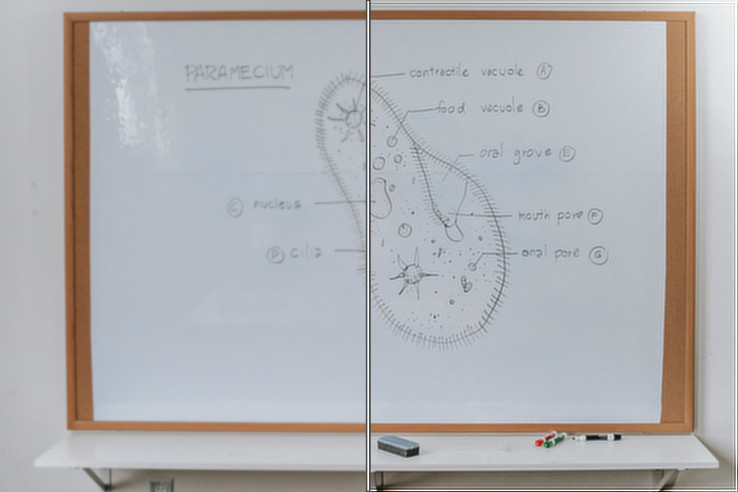
Blurry whiteboard photo restored using Lucy-Richardson Deconvolution - processed entirely on-device.
Drop your blurry image here
or click to browse - PNG, JPG, WebP supported
Result Preview
Your processed image will appear here
Load an image and click "Resolve Blur Locally"
What is BlurResolve?
BlurResolve is a web tool that restores clarity to out-of-focus photos - especially text documents, whiteboards, invoices, notes, etc. - on your device in your web browser without sending anywhere your files.
Unlike AI-powered tools, which might "hallucinate" missing details, we use Lucy-Richardson Deconvolution. It's trusted math method used by astronomers to sharpen satellite imagery.
While this method may not yield the same spectacular, eye catching results as AI methods, there's no risk of over-interpreting or misinterpreting the original undistorted image.
The final quality depends heavily on the parameters of the processed image. If it was blurry but saved in high resolution with low compression, the image retains much of the original detail and can be restored successfully.
So, use the original picture without additional processing for best results.
How to Use
-
1
Load Your Image
Drag & drop or click to select your out-of-focus image. It will be your blurry:
whiteboard leaflet utility meteror any other blurry image. Remember — file stays on your device. It's not uploaded.
- 2
Click "Resolve Blur Locally"
Now web application is estimating blur size and shape. Then GPU-powered deconvolution starts fixing the image. It can take some time in case of very big images, but the progress bar will show you the progress.
- 3
Download Your Result
After processing, a preview will appear below your original image. In the top right corner is a button for saving the result image on your device.